
in this article
- Types of video for industry
- The 12 examples in a table
- Institutional operation
- Product and technical process explanation
- Safety and HSE
- Onboarding and integration
- Operational and systems training
- Compliance and code of conduct
- Trade fairs, events and sales to other countries
- Precautions for recording inside the factory
- When to animate instead of recording
- Formats and durations
- Common mistakes in videos for the industry.
- How much does a video for the industry cost?
- Frequently Asked Questions
- In the industry, video needs to show what really happens.
The industry uses video to demonstrate operations, explain technical products, train teams, reinforce safety, and sell to other countries. The examples that work combine real images of the plant with animation for what the camera cannot capture.
In this post, we showcase 12 videos we produced for industries, construction companies, and logistics firms, categorized by type. Following that, we discuss precautions for filming inside a factory, when animation is worthwhile, formats, common mistakes, and cost ranges.
Quick summary:
- The corporate image of an industry is convincing when it shows people working and the operation functioning.
- Processes inside furnaces, reactors, and machines require animation because no camera can go in there.
- Security and integration These are the most frequently used videos: they are shown to all new employees, contractors, and visitors.
- Factory recording requires PPE, safety integration, and a window aligned with production.
- To export, plan the language versions from the script stage.
Types of video for industry
Each type has a different audience and a different place to be displayed. The table helps to separate what is marketing, what is sales, and what is training.
| Type | What is it for? | Who watches |
|---|---|---|
| Institutional operation | Introduce the company, celebrate birthdays | customers, community, job applicants |
| Product or process explanation | to show how the technology works | engineers, technical buyers, distributors |
| Safety and HSE | Plant rules, PPE, emergency | employees, contractors, visitors |
| Onboarding and integration | welcome those who arrive with the same message | new employees and interns |
| Operational training | teach how to use equipment, a system, or an application | operators, technicians, field staff, customers |
| Compliance | code of ethics and conduct | all employees, including those from other countries |
| Fairs and events | To attract attention at the booth, to open lectures. | fair visitors and customers |
| Technical sales and export | Support the sales team, with versions in various languages. | customers in Brazil and abroad |
The page of video production for industry It brings together projects from the sector.
The 12 examples in a table
| Example | Type | Format |
|---|---|---|
| Geocontrole | 10-year anniversary corporate video | testimonies and operation |
| Construtora Barbosa Mello | 65th anniversary manifesto | image bank with sign language |
| OPTA Group | technical explanation | motion graphics and real images, in English |
| Clariant | plant safety | motion graphics and 3D plan |
| Construtora Barbosa Mello | HSE | 3D digital presenters |
| MRS Logística | integration trail | studio and images of the railway |
| MILPLAN Engenharia | onboarding | actress and split screen with slides |
| Pruftechnik | technical course | classes, equipment details and screens |
| Santa Amália | application training | animated character and screens |
| Vaccinar | internal system presentation | Characters with lip sync |
| Tecnosulfur | code of ethics | Motion graphics in 4 languages and sign language. |
| Grupo SADA | code of Conduct | motion graphics |
Institutional operation
A good corporate video for an industry shows the plant in operation and the people who make it happen. Among the major brands, WEG published one on its official channel. “"The world demands it. WEG delivers."”, which, according to the video description, recounts the company's 65 years of evolution through engineering, technology, and a long-term vision.
1. Geocontrol: 10 years of geotechnics
Geocontrole works with geotechnical technologies and wanted to mark its 10th anniversary with a video told by those who lived the story. We recorded interviews with key people on the team and scenes from daily life at headquarters.
The testimonials provide a personal tone, and the scenes of the operation show what the company does. It's the simplest corporate structure and the one that least depends on post-production resources.
Corporate · 3:11 · view case study
2. Construtora Barbosa Mello: 65th Anniversary Manifesto
Companies with projects spread across the country already have many hours of footage stored. In their 65th-anniversary manifesto, the construction company sent the script, and we assembled the video with scenes from the interior bench, a sign language window, and a version for Instagram Reels.
The same construction company transformed the annual report into a retrospective in motion graphics For internal use, also including sign language. The format is detailed in the post about... retrospective video.
Manifesto · 1:22 · view case study
More references are in 15 examples of corporate videos.
Product and technical process explanation
3. OPTA Group: What happens inside the oven?
OPTA Group serves the steel industry worldwide and needed to explain its technologies to engineers, operators, and plant managers. The process takes place inside electric arc furnaces, at extreme temperatures, where no cameras are allowed.
The videos mix real images of the customer's bench with animations of the furnace interior, such as the thinning slag and inclusions clogging the injector nozzles. Everything is in English, with a male voiceover, for an audience that doesn't accept superficial explanations. The result became sales and training material.
Motion graphics and real images · 5:18 · view case study
The method is in How to explain complex B2B products using animation. and in How to translate flowcharts into motion graphics.
Safety and HSE
4. Clariant: the plant rules before entering
The Clariant video plays at the entrance of the Belo Horizonte factory and presents the safety standards to employees, collaborators, and visitors. We begin with a tour of the plant to understand the environment.
The animation combines motion graphics with a 3D representation of the map. This way, each rule appears where it applies, and the viewer understands the instructions before proceeding.
Security with 3D · 2:49 · view case study
5. Construtora Barbosa Mello: HSE with 3D presenters
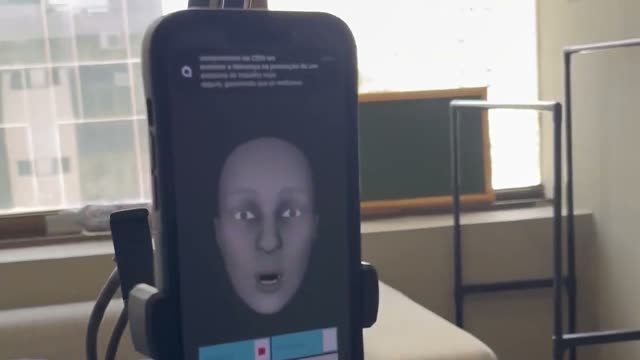
For construction sites, the construction company wanted short videos about the pillars of the HSE (Health, Safety, and Environment) program, with one theme per video: use of PPE (Personal Protective Equipment), environment, conduct in hazardous areas, and emergencies. The presenters are digital, in 3D, with movements captured from real people, AI-generated voices, and lip-sync.
Interspersed with the dialogue, real images from the construction sites demonstrate the practical application of each rule. A short video focusing on a single topic is easier to show during the Daily Safety Dialogue (DDS) or onboarding session.
3D Animation · 0:30 · view case study
Onboarding and integration
6. MRS Logística: MRS Compass Trail
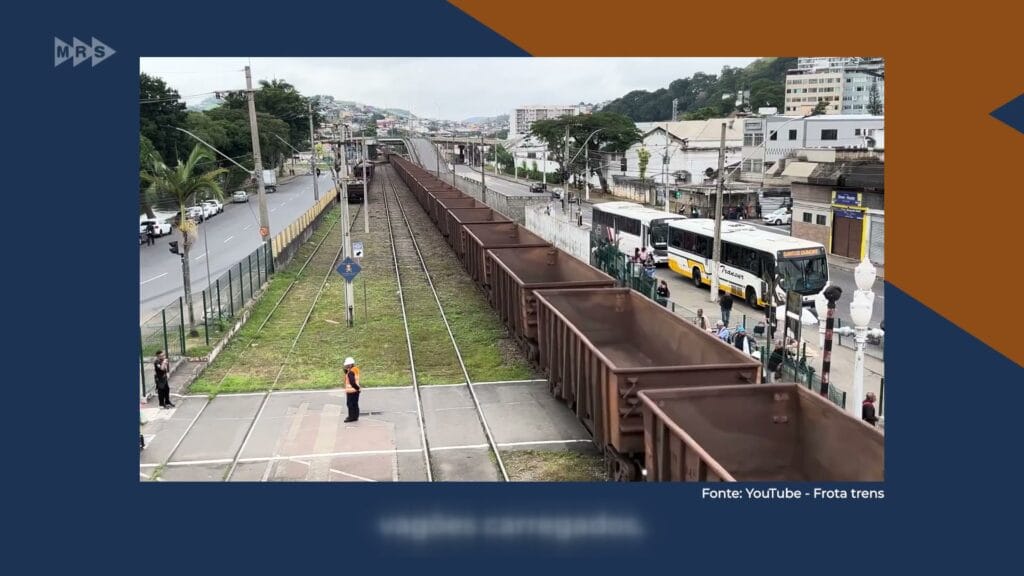
MRS operates a rail network connecting Minas Gerais, Rio de Janeiro, and São Paulo. The integration path was designed by learning designer Nanda Miranda in collaboration with the company's Human and Organizational Development area, and Silvertake produced the videos.
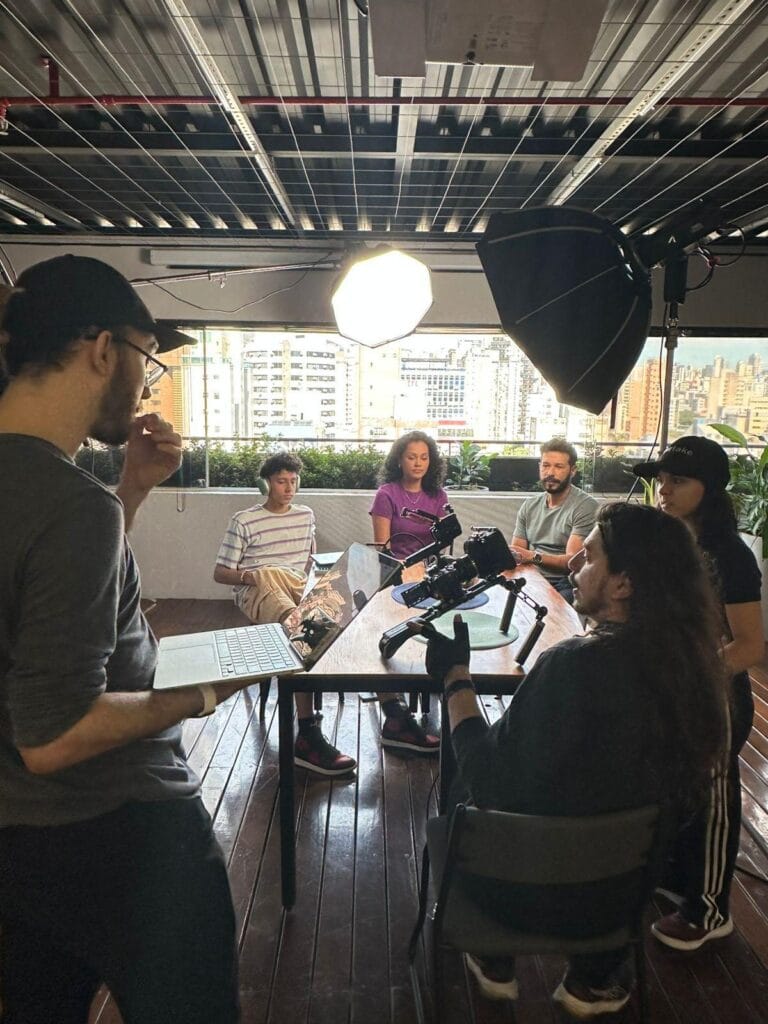
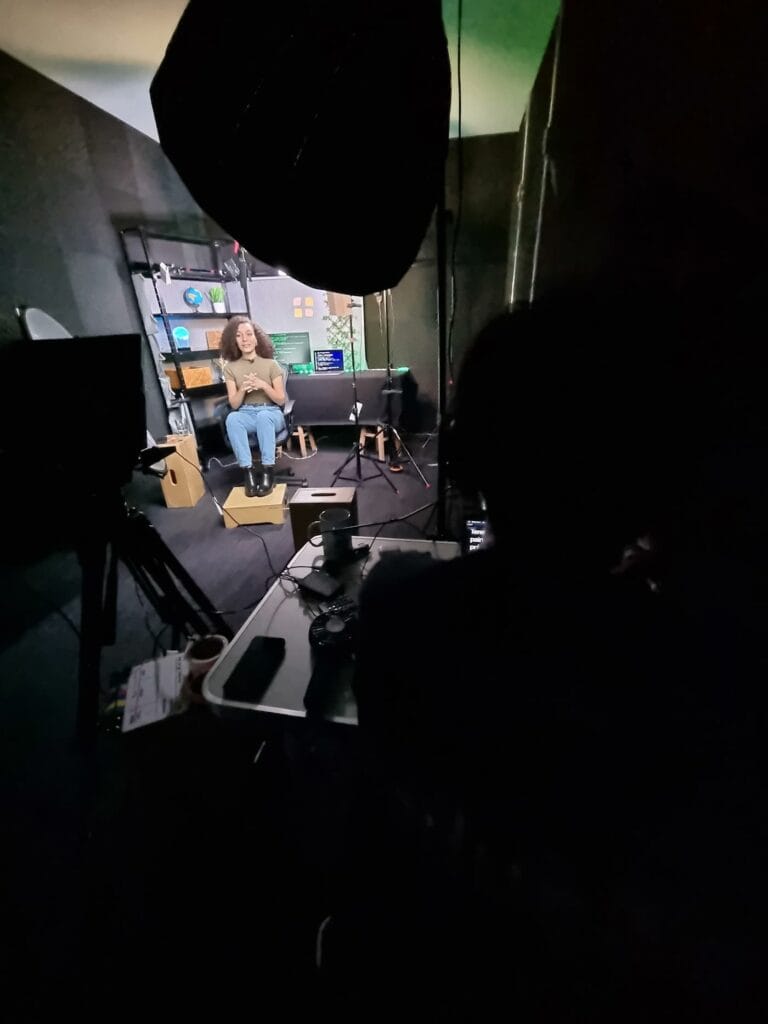
There are over 30 videos, ranging from 4 to 12 minutes in length, recorded in a studio in Belo Horizonte using a teleprompter and edited with images of locomotives, terminals, and the Operational Control Center. Because the content is internal, the public video only shows behind-the-scenes footage, with blurred slides.
Integration track · 1:04 · view case study
7. MILPLAN Engenharia: lectures that became videos
MILPLAN transformed the onboarding presentations into 10 videos to save the team time that they were re-recording. Since the material needed to last for years, we filmed with an actress instead of employees, avoiding reshoots every time someone changed.
The split-screen slideshow maintained the brand's sober tone. More examples are available at [link to examples]. onboarding and integration video, and the comparison between the squad and the own team in internal team or actors.
Onboarding · 0:22 · view case study
Operational and systems training
8. Pruftechnik: Electric Motor Analysis Course
The training teaches employees and customers how to use electric motor circuit analysis equipment. Each lesson was given its own ID in the production plan, which organized the workflow from beginning to end.
In the recording, we combined teleprompter lessons, free-form lessons, screen recording, and detailed shots of the equipment. shaft alignment course, A second camera was dedicated to the practical part.
Technical course · 0:30 · view case study
9. Santa Amália: an application for trade marketing
Santa Amália, part of the Alicorp Group, needed to teach its trade marketing team how to use the Agile Promoter app. We created a character to act as a guide and made five videos with lip-syncing and screen recordings of each function.
Lively training session · 2:28 · view case study
10. Vaccinar: internal system presented by characters
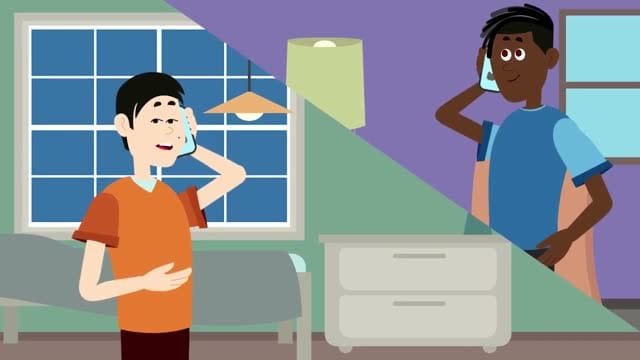
At Vaccinar, an animal nutrition company, the challenge was to present the new platform and internal app without resorting to a screen demonstration. Characters created for the brand guide the explanation, with their mouths synchronized to the narration.
Animation with lip sync · 2:22 · view case study
For short and frequent training sessions, see video microlearning and the page of training videos.
Compliance and code of conduct
11. Tecnosulfur: Code of Ethics in Four Languages and Libras (Brazilian Sign Language)
Tecnosulfur, part of the Opta Group, needed to implement its Code of Ethics in subsidiaries in other countries. The script was written in Portuguese and adapted for English, Spanish, and French, with native speakers in each language and a version in Libras (Brazilian Sign Language).
The animations use icons and illustrations that work in any language, and each version was reviewed with the subsidiary teams. The video was incorporated into the group's internal onboarding and training programs.
Multilingual motion graphics · 5:35 · view case study
12. Grupo SADA: new code of conduct
The Grupo SADA, in the logistics and transportation sector, has launched a new Code of Ethical Conduct for all employees. A code of conduct is a dense document, and the motion graphics have made the content lighter and easier to follow.
Motion graphics · 4:39 · view case study
Trade fairs, events and sales to other countries
At a trade show booth, the video plays silently, on a loop, for people walking by. It works best with short cycles, large text, and the product in motion within the first few seconds. For lectures and product launches, a one- to two-minute opening prepares the audience.
For export, the technical video becomes a tool for the sales team, as in the OPTA Group case, which is produced directly in English. If the company sells in multiple countries, plan everything from the script:
- On-screen text in editable layers, allowing you to change the language without redoing the animation.
- Native voice acting in each language, with leeway in scenes, because the same sentence changes length from one language to another.
- Subtitles separated by language.
- Each version must be reviewed by someone from the country, as Tecnosulfur did with its subsidiaries.
The step-by-step instructions are in How to produce videos in other languages, ...and the utilization of an entire event in videos for events.
Precautions for recording inside the factory
Filming in an industrial plant requires preparation that an office doesn't. The video crew enters like any other service provider: with PPE, onboarding, and authorization.
| Careful | What to agree on before the day's departure. |
|---|---|
| PPE | List of PPE by area (helmet, goggles, ear protection, boots, lab coat) and who provides them to the team. |
| Security integration | whether the team does the onboarding on the day or before, and how much time it takes. |
| Recording window | Schedule with the line running, shift change, scheduled stop for detailed plans. |
| Image authorization | Term for employees who appear on camera and list of those who cannot be filmed. |
| Restricted areas | What cannot be shown: formulas, system screens, classified equipment, classified areas. |
| Noise | Interviews in a quiet room, ambient sound captured separately, lapel microphone worn by the person speaking on the line. |
| Drones and equipment | Safety clearance for drones, tripods, and lighting in public areas. |
| Companion | a plant employee who knows the routes and is responsible for the team. |
Confirm with plant security if there are areas where common electronic equipment cannot enter. In those areas, the solution is to record from outside the area, use stock footage, or animate.
The Guide to PPE and insurance for recording in the industry. It details the documentation that the production company must submit.
When to animate instead of recording
The rule of thumb: shoot what the camera captures and animate the rest. In the examples above, animation was included for different reasons.
| Situation | Solution | Example |
|---|---|---|
| Process inside a furnace, reactor, or pipeline. | motion graphics over real images | OPTA Group |
| Show the entire plant and safety routes. | 3D floor plan | Clariant |
| A risky situation that cannot be staged. | digital characters or presenters | Barbosa Mello |
| Content that will be broadcast in several countries. | Universal icons and editable text | Tecnosulfur |
| Internal system or application | character with screen recording | Santa Amália, Vaccinar |
| A dense document, like a code of conduct. | motion graphics | Grupo SADA |
The possible styles, from motion graphics to 3D, are explained in types of animation for video.
Formats and durations
| Video | Length | Where does it run? |
|---|---|---|
| Corporate | 1 to 3 min | website, LinkedIn, business presentations |
| Product explanation | 2 to 5 min | sales meetings, website, trade shows |
| booth loop | 30 seconds 1 minute, no sound | fair screens |
| Security at the entrance | 2 to 4 min | Reception area, TV at the entrance, integration tablet |
| SSMA pill | 30 sa 2 min | DDS, internal TVs, team WhatsApp. |
| Integration track | 4 to 12 minutes per video | training platform |
| Code of Conduct | 3 to 6 min | onboarding and annual training |
For those working on the line, the screen is the cafeteria TV or their cell phone. Add subtitles to everything, because the environment is noisy, and consider... sign language window in the videos for all employees.
Common mistakes in videos for the industry.
- Arrive for recording without scheduled integration. The team loses the morning at the gate.
- Showing only machines and drones, without a single person working.
- Recording with the entire production line stopped. The factory appears to be inactive.
- Allowing system screens, formulas, or customer equipment to appear without authorization.
- Explaining the technical process using internal jargon, especially when the audience is the buyer.
- Making the security video too long for the time the visitor has at the entrance.
- Translate after it's finished, with text trapped in the animation.
- Record onboarding with employees who may leave the company the following year, without evaluating the use of actors.
How much does a video for the industry cost?
The prices below are market benchmarks for 2026, including taxes. What impacts the budget is the number of rental days, the amount of animation, and versions in other languages.
| Type of video | Reference range | Larger projects |
|---|---|---|
| Corporate video with recording (1 video of 2 to 3 minutes, 1 day of recording) | R$ 8 thousand to R$ 20 thousand | multiple cities, many daily rates or versions: above R$ 35 thousand |
| Animation or motion graphics (1 video up to 2 minutes) | R$ 6 thousand to R$ 15 thousand | Longer videos, original illustrations, characters, or 3D: above R$ 20,000 |
| Animated package (SSMA or training series, 2 to 6 videos of 1 to 3 minutes each) | R$ 10 thousand to R$ 35 thousand | 10 or more videos, or more than 30 minutes of animation in total: above R$ 60 thousand |
| Video case study or testimonial (1 video of 2 to 4 minutes, 1 client, half to 1 day) | R$ 8 thousand to R$ 18 thousand | Another city, more locations or operational images: above R$ 25 thousand |
| Manifesto or campaign (1 film of 30 seconds, 2 min) | R$ 6 thousand to R$ 25 thousand | A campaign featuring multiple films, cast, and locations: above R$ 50,000 |
| Editing only using company-provided stock footage (1 video up to 5 minutes long with previously recorded material, or a batch of up to 20-30 short videos). | R$ 4 thousand to R$ 15 thousand | Larger lots or editions with lots of animation: above R$ 25 thousand |
| Online course (10 to 30 lessons of 10 to 30 minutes each, 1 to 4 per day) | R$ 15 thousand to R$ 60 thousand | Hundreds of lessons, more than 30 hours of content: above R$ 140 thousand |
Common extras in the sector: voice-over from R$ 400 to R$ 1,300 per video version of up to 3 minutes and sign language interpretation starting at R$ 800 per video of up to 3 minutes.
A short animation takes 3 to 5 weeks, and a recorded corporate video, 4 to 8 weeks. The guide How much does a video cost? It explains what changes the price at each stage.
Frequently Asked Questions
Does the production company need to implement factory security integration?
Yes, in most plants. Arrange beforehand whether it happens on the day of filming or on an earlier date, because it takes up part of the day's schedule.
Is it possible to record without stopping production?
Yes, it works, and the images look better with the line running. Close-up shots inside machines or in hazardous areas require a programmed pause or animation.
Who can appear in the video?
Employees who signed the image release form. For videos that will be shown for years, such as onboarding videos, actors or digital presenters avoid reshooting the material when someone leaves.
How to protect trade secrets during recording?
Make a list of what cannot appear before the shoot and bring someone with you to the plant. During approval, the technical team reviews the cut, and anything that is missed is removed in post-production or blurred.
Is it okay to make the video in English?
If the company sells or has units outside of Brazil, then yes. Write the script thinking about the different versions and record the voiceover with native speakers, as in the OPTA Group and Tecnosulfur videos.
Record or animate the safety training?
Filmed in a serious way when the rules depend on the actual location and the area allows filming. Animated when the situation is risky, when the environment cannot be shown, or when the video needs to last for many years without changing.
In the industry, video needs to show what really happens.
The 12 examples blend the actual plant layout, the operational personnel, and animation to show what remains hidden. The difference lies in the preparation: PPE, onboarding, a list of what cannot be shown, and a script reviewed by the technical team.
If you have a process to explain, a standard to train on, or a plant to demonstrate, Tell me what you need. And we put together the recording plan with your security team.
Published on October 10, 2026

Samuel Silva is the co-founder and Creative Director of Silvertake Vídeo, a video production company in Belo Horizonte. He leads a team that combines creativity and technology, delivering over 7,000 videos for more than 100 companies. A graduate in Advertising from PUC Minas, Samuel specializes in marketing, creative automation, and audiovisual production.