in this article
- Types of end-of-year videos
- Example: the retrospective of the Construtora Barbosa Mello
- How to put together a script for a retrospective.
- Suggested structure for three minutes
- Format ideas for the retrospective.
- How to record a leadership message part-time
- What material to gather
- When to start
- Where to use the end-of-year video
- Common mistakes
- How much does it cost
- Frequently Asked Questions
- Start gathering the materials now.
A good year-end retrospective video tells the company's story as a single event, highlighting a few key milestones, and is usually ready before the second half of December. This guide covers the types of year-end videos you can make, how to write a script, what materials to gather, and when to start.
This is useful for internal retrospectives, annual video reports, leadership messages, and thank-you videos to clients.
Quick summary:
- Start production in October or early November. By December, schedules shorten and approvals are delayed.
- Choose five to eight milestones from the year, instead of listing everything.
- Motion graphics using numbers and images from the internal archive resolve the issue without needing to re-record.
- One video for the team and another for clients work better than one trying to speak to both.
- Three minutes is enough. For a retrospective look; annual reports can be longer when they are divided into parts.
Types of end-of-year videos
| Type | For whom | Length | Common format |
|---|---|---|---|
| Year in Retrospective | team | 1 to 3 min | motion graphics with numbers and images from the collection |
| Annual video report | team, board, investors | 5 to 10 minutes, in parts | motion graphics, graphics, message from leadership |
| Message from leadership | team | 1 to 2 min | Short recording with the CEO or board of directors. |
| Thank you to our customers. | customers and partners | 30 seconds 1 minute | Project compilation of the year, short testimonials |
| End-of-year card | customers, suppliers, networks | 15 to 30 seconds | short animation with the brand |
The company doesn't need everyone. Choose the audience that matters most to hear the message this holiday season.
Example: the retrospective of the Construtora Barbosa Mello
Retrospective in motion graphics · 1:12 · view case study
The construction company Barbosa Mello requested two pieces for internal use: a 2024 retrospective and a ten-minute annual report in motion graphics. The deadline was tight and the report's script was extensive.
The animation followed the construction company's visual identity and used images from the company's own archive, making the video more relatable to those who worked on those projects. All pieces included a sign language interpretation window.
What can be salvaged: the annual report, which nobody reads from beginning to end, has been turned into a narrative with rhythm. The soundtrack and sound effects helped to sustain a longer piece.
How to put together a script for a retrospective.
1. Define the message of the year.
Before listing achievements, answer in one sentence what the year meant: the year of expansion, the year the company went through a crisis, the year of the new product. The sentence organizes the rest.
2. Choose a few milestones.
Select five to eight moments that tell this story. A significant number, an important project, a person, a change. A list of twenty achievements becomes an animated slideshow presentation.
3. Put people
Team faces, quotes from collaborators, or a short testimonial add emotion to the video. animation for the 99th anniversary of the Rede Batista, Phrases from collaborators and sounds from the school drive the story.
4. Finish by looking ahead.
The end of the retrospective points towards the coming year: a goal, an invitation, a thank you. It's the part the team takes into January.
Suggested structure for three minutes
| Excerpt | Time | Content |
|---|---|---|
| Opening | 10 to 15 seconds | the phrase that sums up the year |
| Context | 20 s | How did the year begin, what was the challenge? |
| Frames | 1 min 30 s | five to eight moments, with number, image or person |
| People | 30 s | Phrases or short statement from the team |
| Closing | 20 to 30 seconds | Thank you, and what's coming in 2027. |
Format ideas for the retrospective.
Numbers in animated typography. The year's key figures appear in sequence, with a striking track. Quick to produce and good for social media; see the example of animation all type from XPE College.
Month by month. One milestone per month, with a photo or short video. This works well when the year had scattered but well-documented moments.
Voices from the team. Short quotes from contributors in different fields about what marked the year, interwoven with images.
Map of the year. For companies with operations in multiple cities, an animated map showing where the company has been, with projects from each location.
Letter from leadership. The CEO reads a short text about the year, with images superimposed. It remains personal without requiring him to memorize anything.
How to record a leadership message part-time
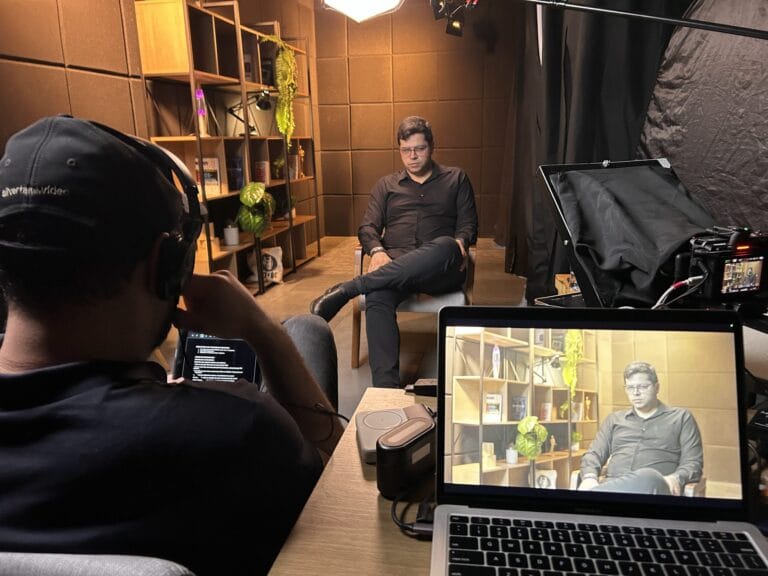
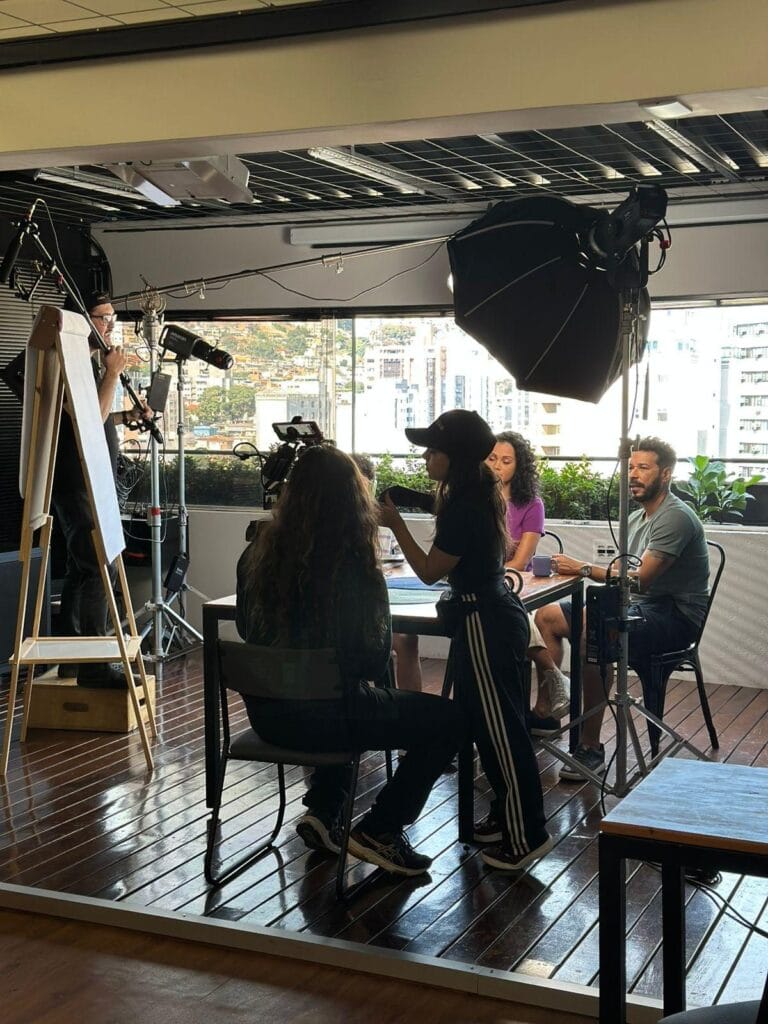
A one- to two-minute message fits into a short recording, either at the office or in a studio. To make it sound good:
- Write the text beforehand and review it with the executive, using short sentences;
- Use a teleprompter so that he looks at the camera without memorizing;
- Choose a quiet environment with background music that relates to the company;
- Record each segment two or three times and let the editors choose;
- Use the same session to record a short version for LinkedIn.
We have a guide about How to record with a teleprompter.
What material to gather
In most cases, the retrospective can be done without new recordings, provided the year's material is already gathered. Ask the relevant departments:
- Photos and videos of events, construction projects, deliveries, and behind-the-scenes footage;
- The figures for the year that can be released;
- A list of milestones, with dates and responsible parties;
- Logos of authorized clients and partners;
- Short phrases from contributors, which can be collected via a form;
- The company's visual identity and previous videos.
Images taken on a cell phone work, as long as they have good resolution. For a message from leadership, a short recording in a studio or at the company will suffice in half a day; see [link/reference]. how to record executives.
When to start
A motion graphics retrospective takes three to five weeks, from briefing to approved file.
| Step | When |
|---|---|
| Briefing and material collection | October |
| Script approved | beginning of November |
| Animation and editing | November |
| Adjustments and final approval | until the beginning of December |
| Display | Party or end-of-year gathering, shipping to clients |
The second half of December sees reduced staffing on both sides. Leaving approval until that time is the most common reason why the video might not be ready. The 2027 dates are in... video calendar.
Where to use the end-of-year video
- End-of-year party or gathering, on the big screen. Confirm the screen ratio and sound quality of the venue.
- Email to the team, Here's the link for those who weren't there.
- Email for clients and partners, with the thank you version.
- LinkedIn and social networks, with short cuts and subtitles.
- Integration of 2027The retrospective helps those who arrive the following year to understand the company.
Common mistakes
List everything. Each area wants to be highlighted, and the video becomes a sequence of slides. Choose the milestones based on the history and leave the rest for the written report.
Leave it for December. Scattered materials, approvers on vacation, and the producer's busy schedule are the recipe for delay.
Forget about people. Numbers without faces make a video cold. A quote from a contributor is worth more than just another graph.
Using images without permission. Client logos and photos of people require approval. See the Image rights checklist.
How much does it cost
A motion graphics retrospective is typically an animated video of up to 2 minutes, costing between R$ 6,000 and R$ 15,000.
When assembled using only existing material, with editing and few graphic elements, the editing cost for a single video of up to 5 minutes falls between R$ 4,000 and R$ 15,000.
Long annual reports, with lots of animated data, and versions with sign language or in English increase the value. The full ranges are available at [website address]. How much does a video cost?.
Frequently Asked Questions
What is the ideal length for a retrospective video?
One to three minutes for a retrospective shown at an event or sent via email. Annual video reports can be up to ten minutes long, divided into chapters.
Is it possible to do a retrospective without recording anything?
Yes. Motion graphics with the year's figures and photos and videos from the internal archive resolve most cases. Recordings are only included if there's a message from leadership or testimonials.
When should I order the year-end video from the production company?
In October, or at the latest in early November. The typical timeframe is three to five weeks, and December has fewer working days.
Are a retrospective and an annual report the same thing?
No. A retrospective is short and emotional, designed for celebration. A report is longer and more informative, with data for the board, investors, or the entire team.
Is it okay to send end-of-year videos to clients?
It's worthwhile if it's short and shows something concrete, like projects done together during the year. A generic card with the logo and holiday greetings gets lost among the December emails.
How to involve the team in the video?
Collect short phrases using a form, ask for photos of moments from the year, and include one or two testimonials. Those who appear in the video share it and watch it until the end.
Start gathering the materials now.
A year-end retrospective works well when the company decides on the message for the year early, chooses a few key milestones, and gathers the material before November. This way, the video is ready without the rush for the end-of-year party.
If you want to do a 2026 retrospective of your company, send what you have And we'll put together the itinerary with you.
Published on October 3, 2026

Samuel Silva is the co-founder and Creative Director of Silvertake Vídeo, a video production company in Belo Horizonte. He leads a team that combines creativity and technology, delivering over 7,000 videos for more than 100 companies. A graduate in Advertising from PUC Minas, Samuel specializes in marketing, creative automation, and audiovisual production.