in this article
- Why use video on LinkedIn?
- Where the video appears: page, profile, and ad.
- Types of videos that work on LinkedIn
- Technical specifications for video on LinkedIn
- 26 LinkedIn video ideas for B2B companies
- Examples of videos published on LinkedIn
- How to record executives for LinkedIn
- How to measure the result
- Common mistakes in LinkedIn videos
- Frequently Asked Questions
- A good recording fuels months of LinkedIn content.
Video on LinkedIn works for B2B companies when it shows real people talking about real customer problems: executives, experts, clients, and staff. The right format depends on where the video is being published (company page, executive profile, or advertisement) and what it needs to prove.
In this guide, you'll see why LinkedIn has become the leading video channel for companies, the types of videos that perform best, the technical specifications outlined in the official documentation, and 26 video ideas to get you started. Finally, there are tips for recording executive videos, how to measure results, common mistakes, and frequently asked questions.
Quick summary:
- LinkedIn is already the platform where teams publish the most videos, ahead of YouTube.
- Videos on the profiles of executives and specialists generate conversations that the company page alone cannot.
- Subtitles are practically mandatory because a large portion of the audience watches without sound.
- A well-planned recording will yield weeks of posts.
- Customer testimonial It's the format that is most convincing in B2B sales.
- Measure conversations and opportunities, not just views.
Why use video on LinkedIn?
LinkedIn is where B2B purchasing decision-makers are, and video is the format that companies publish most there. In Wistia's State of Video 2026 report, 81% of teams publish videos on LinkedIn, compared to 76% on YouTube (Wistia, State of Video 2026).
Adoption among B2B professionals is also high. In LinkedIn's 2025 B2B Marketing Benchmark, conducted in six countries, including Brazil, 78% of B2B marketing professionals said they use video in their programs (LinkedIn, 2025 B2B Marketing Benchmark).
In Brazil, the user base is large. DataReportal's Digital 2026 report records 90.0 million LinkedIn members in the country.DataReportal, Digital 2026 BrazilOther statistics on video consumption are available on our page. video statistics.
| Given | Number | Source |
|---|---|---|
| Teams that publish video on LinkedIn | 81% (YouTube: 76%) | Wistia, 2026 |
| B2B marketing professionals who use video | 78% | LinkedIn, 2025 |
| LinkedIn members in Brazil | 90.0 million | DataReportal, 2026 |
| Companies planning to release testimonial videos in 2026 | 47% (in 2023: 17%) | Wistia, 2026 |
Where the video appears: page, profile, and ad.
Before thinking about the content, decide where the video is coming from. Each source has a different audience and tone.
| Origin | Who sees | Tone | Best for |
|---|---|---|---|
| Company page | brand followers, candidates, customers | corporate, but human | releases, case studies, culture, events |
| Profile of executives and specialists | each person's network of contacts | personal, opinionated | Market insight, behind-the-scenes insights, lessons learned |
| Announcement | Audience segmented by job title, sector, company | direct, with a clear call | Demand generation, ABM, events |
| Events and live streams | subscribers and followers | live chat | webinars, launches, panels |
The three approaches work best together. The case study is featured on the page, the executive discusses the project on their profile with a 1-minute clip, and the ad takes the testimonial to accounts that are not yet familiar with the company.
Types of videos that work on LinkedIn
Videos from the company page
The page is the brand's showcase. Case studies, product launches, behind-the-scenes glimpses of operations, and company dates work well. Avoid posting 3-minute corporate videos without cuts: in the feed, it needs a short version with the main information at the beginning.
Videos on executive profiles
The profile of a CEO, sales director, or technical specialist reaches people who don't follow the page. The video here is short and opinionated: a lesson learned from a project, a market analysis, an answer to a question that clients always ask.
The rule is for the executive to speak as they would in a meeting. Use a script with bullet points, no memorized text. See how to conduct the recording in [link/reference]. How to manage executives on video.
Video ads
The ad allows you to choose who sees it by job title, industry, and company size. Short videos, with a clear proposition in the first few seconds and a call to action, work best. For campaigns targeting specific accounts, see [link to relevant resource]. video for ABM.
Events and live streams
Webinars and live panels bring the conversation to the platform. After the event, the best segments become clips for the following week, and the full recording can go to YouTube or the website.
Case studies and customer testimonials
It's the strongest format for B2B sales because the customer is the one speaking. At Wistia, 471,300 companies plan to produce testimonial videos in 2026, compared to 171,300 in 2023. The recording method is in... customer testimonial video.
Behind the scenes and employer branding
Videos of the team, their daily routines, new onboarding, and internal achievements help with recruitment and showcase the company culture to clients. Here, the production can be simpler, using a cell phone and good lighting, as long as the audio is clean. Our guide to... audio recording in a noisy office That helps.
Technical specifications for video on LinkedIn
The data below was checked on LinkedIn's help pages in September 2026. The platform updates these rules, so check the links before exporting the final version.
| Item | Organic post (page) | Video advertisement |
|---|---|---|
| Length | from 3 seconds to 10 minutes | From 3 seconds to 30 minutes; LinkedIn recommends 15 to 30 seconds to appear in all positions. |
| File size | from 75 KB to 5 GB | from 75 KB to 500 MB |
| Proportion | from 1:2,4 to 2,4:1 | 16:9, 1:1, 4:5 and 9:16 |
| Format | MP4 and several others | MP4 |
| Frame rate | from 10 to 60 fps | below 30 fps |
| Subtitles | not detailed on the specifications page; burn the legend in the edit | SRT file, plain text, no formatting. |
Sources: Video specifications for LinkedIn pages and video ad specifications. For personal profile posts, the page of video troubleshooting It states a maximum duration of 15 minutes.
Proportion and legend in practice
LinkedIn accepts horizontal video, but on mobile devices, square (1:1) and vertical (4:5) formats take up more screen space. If your main video is horizontal, plan the framing to allow for cropping, keeping the face and text in the center. The process is in [link to LinkedIn video]. How to adapt videos for vertical format..
Captions aren't optional, because many people watch at work without sound. The safest approach is to burn the captions during editing, and LinkedIn accepts SRT files in ads. Compare tools at [link to LinkedIn platform]. AI-powered transcription and captioning.
Duration that works
For feed posts, 30 seconds to 2 minutes covers most content. Full case studies and event recordings can be longer, with a short cut linking to the full version. Channel-specific track sizes are available in... ideal video length.
26 LinkedIn video ideas for B2B companies
| # | Idea | Who appears | Where to publish | Length |
|---|---|---|---|---|
| 1 | Customer case study told by the customer. | client and project team | page and ad | 2 to 4 minutes, with a 1-minute cut. |
| 2 | Short testimonial with a conclusive sentence. | customer | an ad | 15 to 30 seconds |
| 3 | CEO's market analysis | CEO | profile | 1 to 2 min |
| 4 | Answer to the question every customer asks. | specialist | profile and page | 1 min |
| 5 | Common industry mistake and how to avoid it. | specialist | profile | 1 min |
| 6 | Animated product explanation | voiceover | page and ad | 1 to 1:30 |
| 7 | Short demo of a feature | screen and narration | page | 1 to 2 min |
| 8 | Behind the scenes of the operation or the factory. | team | page | 30 to 60 seconds |
| 9 | Introduction of a new director or specialist. | the person | page | 45 s |
| 10 | A day in the engineering, sales, or customer service area. | team | page | 1 min |
| 11 | Job opening explained by the manager. | area manager | page and profile | 45 s |
| 12 | Welcome to our new team members! | HR and team | page | 30 s |
| 13 | Event or webinar teaser | speakers or entertainment | page and ad | 15 to 30 seconds |
| 14 | Highlights of an event | speakers and audience | page | 1 to 2 min |
| 15 | Cut from a lecture or panel | speaker | speaker profile | 1 min |
| 16 | Product or service launch | product and leadership | page and ad | 30 seconds 1 minute |
| 17 | Industry data explained in motion graphics. | animation | page | 30 to 45 seconds |
| 18 | Year in Retrospective | team and clients | page | 1 to 2 min |
| 19 | Company anniversary | directors and employees | page | 1 to 3 min |
| 20 | A series of technical tips in episodes. | specialist | page and profile | 1 minute each |
| 21 | Comparison between approaches or solutions | specialist | profile | 1 to 2 min |
| 22 | Video response to a comment or question. | specialist | profile | 30 to 60 seconds |
| 23 | Partnership with another company, as reported by both parties. | leaders of the two companies | pages of the two | 1 to 2 min |
| 24 | Award or certification related to the context of what was done. | team responsible | page | 30 to 45 seconds |
| 25 | Customized video for a key account. | salesperson or executive | direct message | 30 to 60 seconds |
| 26 | Presentation of professors or consultants | each specialist | page and profile | 1 min |
You don't need to do everything. Choose four or five formats that match your sales and maintain a consistent schedule. A good sequence to start with: one case study per quarter, one expert video per week, and event clips when available.
Examples of videos published on LinkedIn
Via Capital: 10-year anniversary corporate video
Corporate video with testimonials · 2:34 · view case study
To celebrate the company's 10th anniversary, directors and employees from different areas shared the story and culture of Via Capital. The video was released on the website, LinkedIn, and YouTube. It's a good example of a company anniversary celebration that speaks to both the team and the market simultaneously.
Imeri Capital: 16 interviews and over 130 videos
Series of testimonies · 5:01 · view case study
The mergers and acquisitions consultancy recorded 16 testimonials with CEOs of clients in Belo Horizonte and São Paulo. Dozens of clips with Portuguese and English subtitles were produced from these, totaling more than 130 videos published on YouTube, LinkedIn, and the website. Each interview generated weeks of content.
XP Educação: Course and Teacher Presentations
Presentation video · 1:23 · view case study
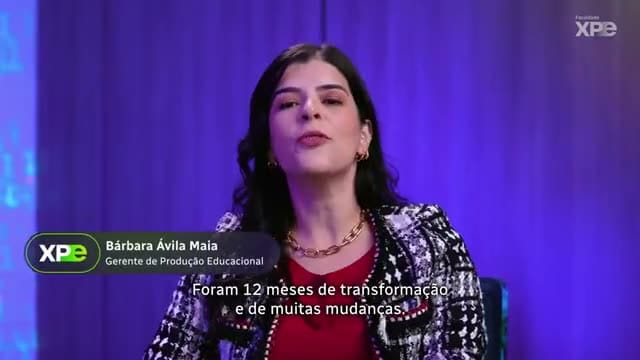
Five postgraduate program coordinators recorded videos showcasing the course and each professor's curriculum. A total of 28 videos were delivered in formats for YouTube, Instagram Reels, and LinkedIn. The script and production plan were completed in less than a week.
XP Educação: Agile Days event series
Content series for event · 0:40 · view case study
For the online event about agile methodologies, the series of 5 videos was recorded in a custom-designed set, with scripts that are not date-dependent. The content was suitable for the event and remains useful afterward, which is ideal for those who frequently publish on LinkedIn.
Algar Telecom: Testimonials from corporate clients
Testimonials for social media · 2:31 · view case study
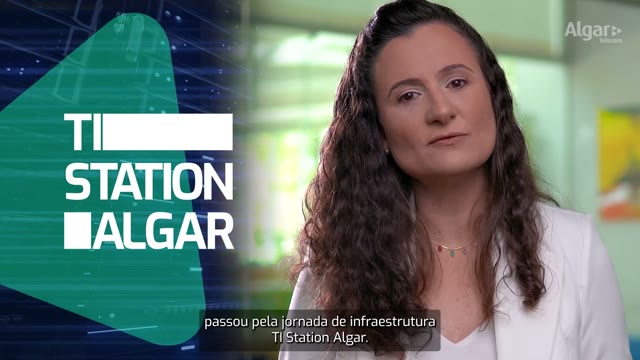
The testimonials were recorded at the company's headquarters in Uberlândia, with scriptwriting and directing support for clients who had never recorded before. The editing process brought together the testimonials into a story about the impact of corporate solutions on clients' daily lives.
ZapSign: blog content in video
Content video · 4:01 · view case study
Blog articles were turned into 24 studio-recorded content videos, which in turn generated 48 vertical cuts. The logic applies to LinkedIn as well: the full video stays on YouTube, and the cut with the most useful explanation goes to the feed with a link to the full version.
How to record executives for LinkedIn
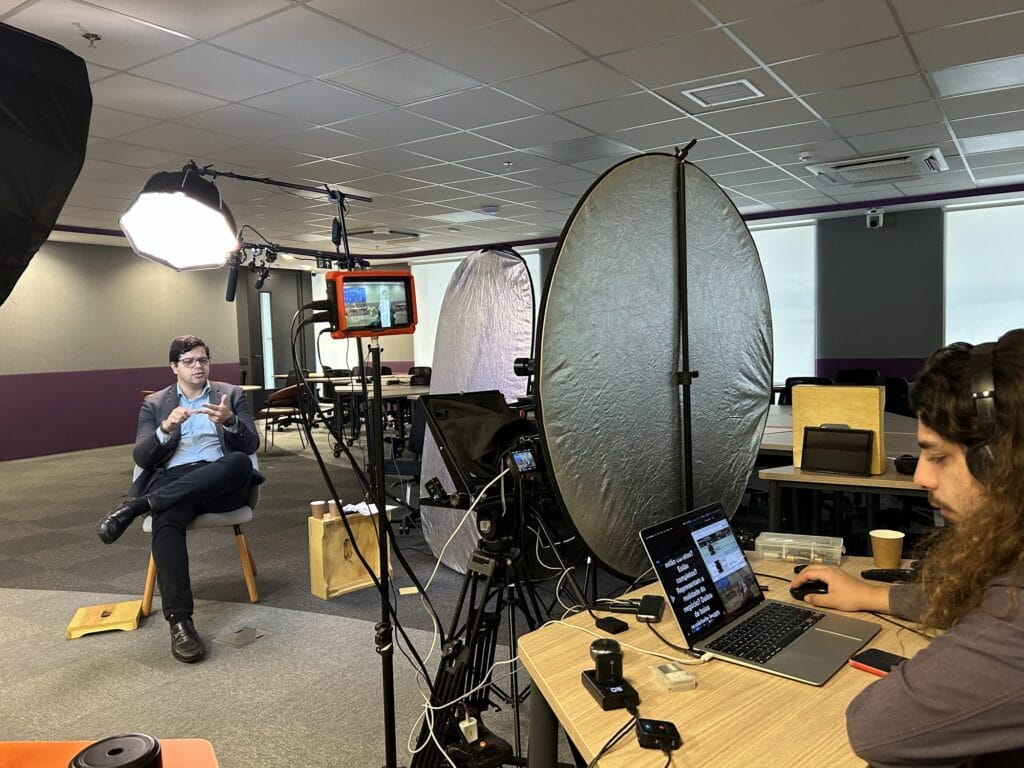
The executive has little time and a lot to say. The recording needs to be quick and produce several videos.
- Create a list of topics, not a script. List 8 to 12 questions that clients ask or topics on which the executive has an opinion.
- Record in blocks. A one- to two-hour session yields material for weeks, with quick changes of clothing or angle between topics.
- Use interviews instead of speaking directly to the camera. When a person lacks practice, responding to someone sounds more natural than reading.
- If you need the exact text, Use a teleprompter with short sentences and rehearse beforehand. See How to use a teleprompter without sounding robotic..
- Take care of the audio first. A lavalier microphone and an echo-free room are worth more than a new camera.
- Frame the scene with the vertical cut in mind. A centered face and space above the head allow for both 1:1 and 4:5 aspect ratios without losing anything.
In this edition, each response becomes a video with a hook at the beginning, a caption, and a closing sentence. The executive publishes it, adding their own text to the post.
How to measure the result
Views are the easiest number to see and the least useful on their own. In B2B, a video seen by a few hundred people in the right audience is worth more than one seen by thousands who will never buy. Read more The myth of the B2B viral video. to understand the difference.
| What to measure | What does it indicate? | Where to watch |
|---|---|---|
| Views and watch time | if the beginning is engaging and if the video is the right length. | post or campaign analysis |
| Who viewed this (position, department, company) | if the video reached the right audience | Page and ad demographic data |
| Comments and messages | if the topic generated conversation | in the post and in the inbox |
| Click on the link | Interested in learning more | post analysis and link tool |
| Opportunities originating from the video | effect on sales | CRM, with source field filled in. |
Combine what appears on LinkedIn with what happens in the CRM. A video with few clicks, but cited by three clients in a sales meeting, is working. The complete method is in [link/resource]. B2B video distribution and measurement.
Common mistakes in LinkedIn videos
Publish the entire corporate content in the feed. Three minutes without a hook or caption will lose a good portion of the audience right at the beginning. Make a short cut with the best part.
Video without subtitles. Without sound, a video without subtitles communicates nothing.
Executive reading marketing copy. Phrases from brochures sound fake when spoken by the CEO. Let the person speak in their own words.
Just talk about the company. LinkedIn users want to learn something or recognize a problem. Videos that only list company achievements don't perform well.
Post once and stop. A single video doesn't create a lasting memory. Plan a series before recording, with themes spanning several months.
Ignore the format on your phone. Small text on the screen and horizontal videos with faces on the edge disappear on mobile devices. Test on your phone before publishing.
Frequently Asked Questions
What is the maximum video length on LinkedIn?
According to LinkedIn's help pages checked in September 2026, page posts are up to 10 minutes long, profile posts up to 15 minutes, and ads up to 30 minutes. For the feed, videos of 30 seconds to 2 minutes work best.
What's the best video format for LinkedIn: horizontal or vertical?
On mobile phones, square and vertical formats take up more screen space. Horizontal formats work well for longer cases, events, and videos that also go to YouTube. If possible, provide both versions.
Is it better to post on the company page or on the executives' profiles?
Both. The website is the official source, and the executives' profiles share the content with networks of contacts who don't follow the company. The same video can appear on both, with different captions.
Do I need a production company for LinkedIn videos?
For quick behind-the-scenes videos and short answers, your cell phone will do. For case studies, testimonials, executive series, and advertisements, a professional production guarantees audio, lighting, and editing at the level your brand needs. Learn more about our services. video production for social media.
How often should I post videos on LinkedIn?
A frequency that the team can maintain for months. One video per week, across the page and profiles, already establishes a presence. Recording in blocks makes it easier to maintain the rhythm.
How do I add captions to videos on LinkedIn?
The safest way is to burn the caption in the editing process, using a large font and high contrast. For ads, LinkedIn also accepts SRT files, which are plain text and unformatted.
A good recording fuels months of LinkedIn content.
The best LinkedIn videos stem from a plan: who will speak, what topics the audience wants to hear, and in what formats each recording will become a post. With the agenda ready, a day of recording with executives and clients yields content for the page, profiles, and ads.
If you want to put together this agenda for your company, Tell me what you need. And we'll design the recording plan with you.
Published on October 5, 2026

Samuel Silva is the co-founder and Creative Director of Silvertake Vídeo, a video production company in Belo Horizonte. He leads a team that combines creativity and technology, delivering over 7,000 videos for more than 100 companies. A graduate in Advertising from PUC Minas, Samuel specializes in marketing, creative automation, and audiovisual production.