
in this article
You put your best executive or expert in front of the camera. He completely masters the subject, but when it's time to press REC, the magic disappears. His gaze becomes fixed, his voice sounds monotonous, and his posture stiffens. It feels like he's reading a ransom note.
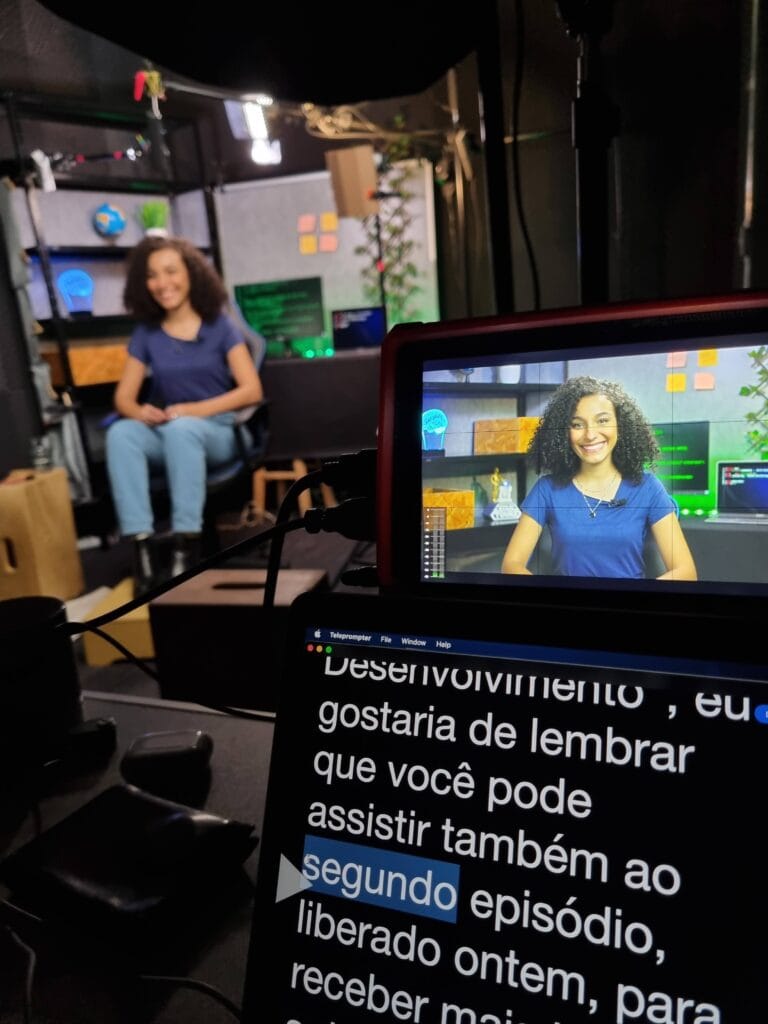
This is the classic effect of a poorly conducted corporate recording. The tool that should serve as a memory aid becomes a prison. Learning How to use the teleprompter Doing it right is what separates an amateur video from a B2B production that generates trust.
Robotic reading destroys the immediate connection with the viewer. Whether it's a potential client in the marketing funnel or a collaborator in training, nobody has the patience for artificial speeches. If the viewer perceives that the person is merely reciting mechanical words, credibility collapses.
The problem is almost never the equipment itself. The fault usually lies in the initial formatting of the text, the technical adjustments on set, and the lack of direction. Executives and professors are not professional actors. They need a clear method to transform a script into a conversation.
Practical step-by-step guide to reading naturally.
1. Write the script for the ears, not for the eyes.
The first major mistake happens before even turning on the camera. Institutional scripts are often written like formal documents. When someone tries to read aloud long sentences, full of commas and abstract jargon, they run out of breath and lose their rhythm.
To make a good impression, the text needs to be colloquial. Write exactly as the leader would speak in a face-to-face meeting. Replace complex terms with everyday words and prefer short sentences. To delve deeper into this step, check out our material on [topic]. How to record using a teleprompter focused on the text.
2. Format the screen to match the speaker's breathing.
Placing a dense, unbroken block of text on the screen is an invitation to error. The brain needs visual pauses to process information. Break paragraphs according to the breathing rhythm and intonation that the sentence requires.
Always use tactical visual markers. Capital letters or bold should be reserved only for words that require vocal emphasis. Leave long blank spaces between blocks to indicate the exact moment when the spokesperson should pause and take a deep breath.
3. Adjust the camera distance and eliminate the "ping-pong effect".“
You know when you're watching a video and the presenter's eyes keep jumping rapidly from left to right? That happens when the lens is too close to the chair or when the text margins are too wide in the software.
The on-set correction is simple. Slightly move the tripod away from the talent. Then, reduce the margin width on the operator's computer. This forces the eye to focus on the center of the screen. Lateral eye movement becomes imperceptible to the audience.
4. Talent dictates speed, not the operator.
A common mistake in corporate recordings is for the spokesperson to try to rush to keep up with the text advancing on the screen. This generates anxiety, a dry throat, and stumbles in diction. The rule on set is the opposite: the equipment operator has the obligation to follow the cadence of the speaker.
Conduct silent reading tests before recording. Find the expert's natural speed on screen. And remember: well-timed pauses build authority. Planned silence in the video allows the decision-maker on the other end to absorb important technical information.
5. Free your hands and body language.
To avoid misreading the image, many people freeze their bodies. Their arms stick to their ribs, their neck stiffens, and their shoulders rise. The visual result is a static executive who seems uncomfortable with their own corporate image.
Use your hand gestures intentionally. Use your hands to emphasize business arguments, just as you would on a stage. Arm movements loosen your vocal projection. The brain processes the gesture as a comfort signal, relaxing the muscle tension imposed by the camera.
The need to direct those who are not actors.
Having the best studio setup doesn't replace human direction. A good B2B audiovisual director knows that the ultimate goal isn't just reading without stumbling, but delivering emotion and intention. The script displayed on the screen is merely the basis of what needs to be said.
During the recording process, the director must remind the executive what tone is desired. Is it urgent? Is it enthusiasm for a new product? The voice has to carry that weight. Understand the details of this technical process in our guide on [topic]. How to manage executives on video.
Technical professionals face an even more subtle challenge. They master every logical detail of the vocabulary, but struggle with visual engagement. Applying subtle maneuvers solves the posture problem. Read our complete process focused on... How to direct video experts.
Silvertake's naturalness in practice
Working with scalable recorded hours without losing the energy of communication is the biggest bottleneck in educational operations. When taking on large projects of Video for courses and distance learning., We know that text-based communication is mandatory, but robotic coldness is unacceptable.
For the educational project of Multitude Education System, We conducted dozens of high-density classes. The team's focus was to reconcile complex pedagogical content, the use of props on set, the teachers' free movement, and reading the prompter.
We prepared the technical foundation and implemented a human-centered approach, ensuring that the supporting text propelled the students' performance. The final result conveys the same captivating dynamism that students demand in face-to-face learning.
Time to record your message with confidence and rhythm.
Technology in the studio doesn't have to be a barrier for your company. With the right text formatting, strategic camera placement, and skilled direction, any leader can take center stage and immediately convey credibility to the market.
A well-structured production company takes that pressure off the shoulders of your internal team. We guide each step so that your managers arrive on set relaxed and ready to focus solely on the performance of the message.
Invite our team to address the current bottlenecks in your campaigns. Send us details of your timeline and understand how to professionalize your audiovisual presence in the segment. Get started now by contacting Silvertake through [contact information would go here]. quote page.
Published on August 5, 2026

Samuel Silva is the co-founder and Creative Director of Silvertake Vídeo, a video production company in Belo Horizonte. He leads a team that combines creativity and technology, delivering over 7,000 videos for more than 100 companies. A graduate in Advertising from PUC Minas, Samuel specializes in marketing, creative automation, and audiovisual production.