in this article
The final video is 3 GB and the client asked to “send it via WhatsApp”. You send it, and the file that arrives on the other end is not what came out of the editing suite.
To send large video files without losing quality, separate two things that often get mixed up: the link to approve and the file to deliver.
What happens to video on WhatsApp
Messaging apps compress video to save data. The image loses detail, small text blurs, and colors shift. Whoever approves it there is approving a copy worse than the real thing.
Sending it as a document avoids compression, but has size limits and the file gets lost in the conversation. The post on why you should stop approving video on WhatsApp covers the review side.
WeTransfer and Drive: the file arrives, the conversation doesn't
Transfer services and shared folders keep the original file. For delivering the master, they work.
For approvals, they don't. The client needs to download gigabytes to watch, feedback comes back through another channel, and no one knows which file is the current version. Transfer links also expire, and anyone looking for the video three months later finds an error page.
What about email?
Email attachments can't handle real video. What arrives via email is a link to one of these services, with the same problems: a file that must be downloaded, a conversation trapped in email, and a version that no one knows if it's the latest.
It's even worse when the email gets forwarded. The director receives the link to v2 a week after v3 came out, watches it, comments, and the production company gets a request about a version that has already changed.
One link to approve, another to deliver
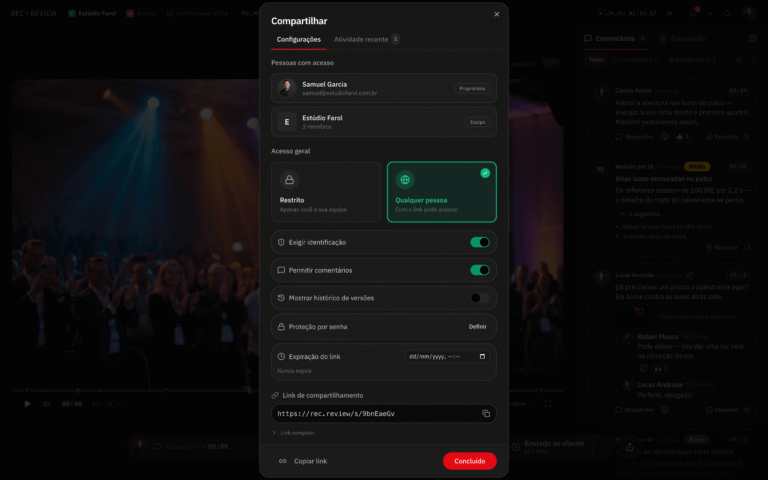
To approve: review link
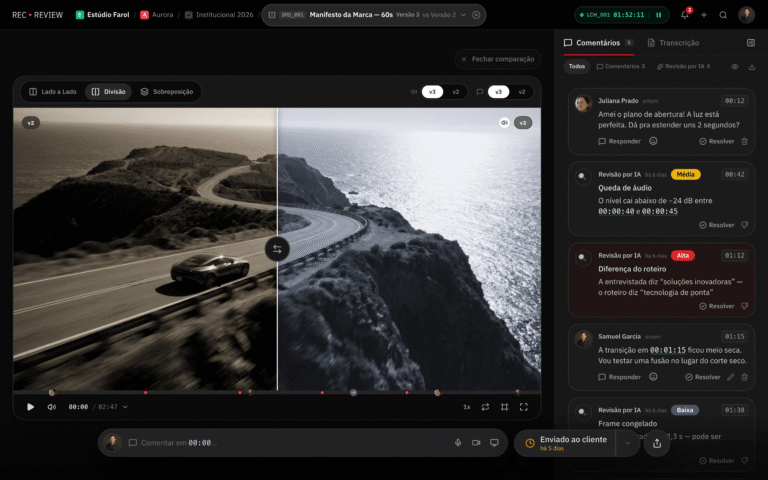
In the approval stage, the client doesn't need the file. They need to watch it in good quality, on any device, and comment at the exact point in time. A review link does this by streaming the video online, with no download required.
The link also solves the version issue. Whoever opens it sees the most recent one, and comments are tied to the exact timestamp in the video. If the director forwards the link to legal, both comment in the same place.
When choosing a tool, the article on Frame.io or Vimeo for video approval compares the most common options.
To deliver: the master and the variations
Once approved, that's when the heavy file comes in. The final delivery usually includes:
- The high-quality master, for archiving and future re-edits.
- The publishing versions: horizontal, vertical, and square, each in the platform's format.
- Subtitles in a separate file, or already burned into the video, depending on the use.
- The music track and licensed fonts, when covered by the contract.
How to organize the delivery folder
Ask the production company to deliver in a structure that anyone on your team can understand without asking. An example that works:
- 01_Master: the file in maximum quality, with the project name, the approved version, and the date.
- 02_Social: one folder per format (16×9, 9×16, 1×1), with the platform name in the file name.
- 03_Subtitles: the subtitle files, one per language.
- 04_Extras: soundtrack, fonts, thumbnails, and the version without voiceover, when applicable.
With a file name like “Corporate_2026_approved_v3_16x9.mp4”, no one needs to open the video to know what it is.
The checklist of delivery formats and codecs details what to ask for in each case.
Common video delivery mistakes
Most problems appear months later, when someone needs to reuse the video and discovers they don't have the right file.
- Receiving only the social media version. The file compressed for Instagram is good for posting, not for re-editing or projecting at an event.
- A file name that says nothing. “Final_v3_this_is_it.mp4” doesn't tell you the format, the date, or whether that's the approved version. Agree on a standard with the production company.
- Subtitles only burned into the image. If you're going to publish on different platforms, also ask for the separate subtitle file.
- A version without voiceover and music. To translate or swap the music in the future, it helps to have a version with only ambient sound and effects. Ask for it in the contract, if it makes sense.
- Everything in a temporary link. Download it as soon as you receive it. A link that expires is not an archive.
Where to store the video after delivery
Once downloaded, store it in two places: on the company server or cloud and in a separate backup. The production company's link shouldn't be the only place the video exists.
Also ask for the editing project and raw footage, if the contract includes them. Without them, any future adjustment starts from scratch. The article on how to switch production companies without losing your original files explains what to ask for.
How Silvertake delivers videos
Until early 2026, part of our deliveries still went out via WeTransfer, without going through a review link. Today, every cut goes to the client via RecReview, the review platform we use in all projects.
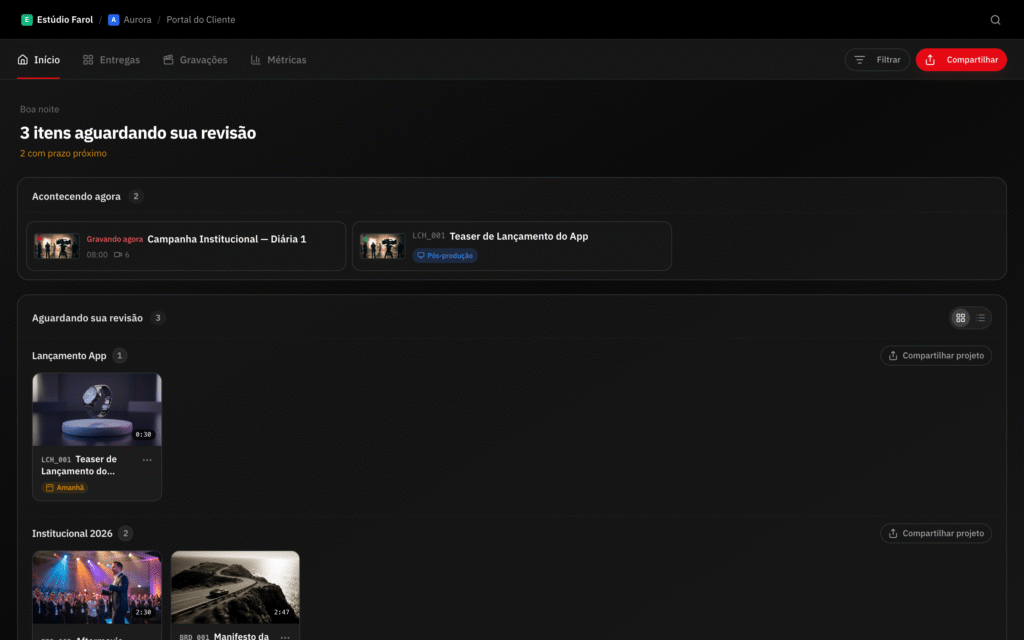
The client watches and comments through the link, without creating an account. After approval, they download the original file via customer portal, where the other project deliverables are also kept. When the video has subtitles, you can download the version with the subtitles already burned into the image.
Projects with many files
This makes a difference in projects with many files, such as the 24 YouTube videos for ZapSign, which turned into 48 vertical cuts. Each asset has its own link, and none depends on a transfer link that expires.
For ongoing content of this kind, see how content video production works at Silvertake.
Want to receive videos the right way?
If your company is going to produce a video series and wants to approve and receive everything without losing quality or files, Talk to Silvertake. We arrange delivery details before the first shoot.
Published on November 11, 2026

Samuel Silva is the co-founder and Creative Director of Silvertake Vídeo, a video production company in Belo Horizonte. He leads a team that combines creativity and technology, delivering over 7,000 videos for more than 100 companies. A graduate in Advertising from PUC Minas, Samuel specializes in marketing, creative automation, and audiovisual production.