

Learn how to transform textbooks into PDFs and dense slides into dynamic corporate video lessons that engage employees and generate real retention.
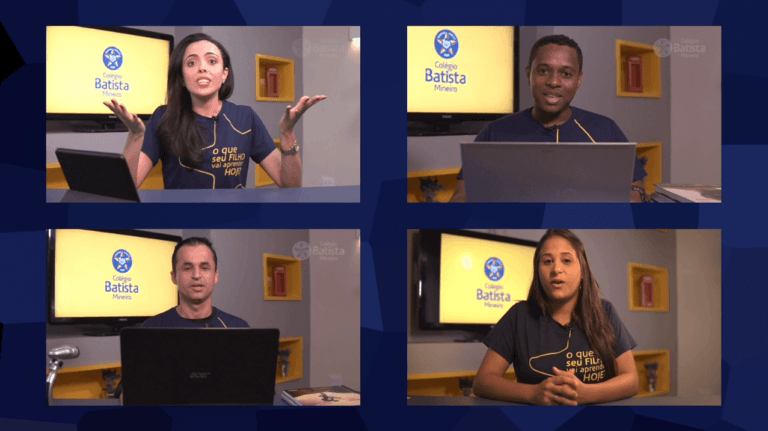
Your Training and Development team has just received a 120-page technical manual on regulatory compliance or new operational guidelines. The mission is clear, but daunting: convert this mountain of text into modern digital training. The quickest—and most disastrous—way is to put an expert in front of the camera reading slides crammed with text. The result is the infamous "narrated PowerPoint," a format that sabotages learning and causes the employee to lose focus within the first thirty seconds. If you want to understand how to migrate from a... PDF for video lesson Without sacrificing technical rigor, it needs to shift its focus from decoding to visual translation.
Written documents and slide presentations were designed for individual reading or to support in-person lectures. In a screen-based environment, the viewer's psychological dynamics change completely. Video demands rhythm, contrast, and, above all, immediate practical relevance. For companies investing in... education sector In a corporate context, insisting on static formats disguised as audiovisual content is a way to burn through production budgets and waste precious hours of team productivity.
The biggest mistake when designing a project is... Video for courses and distance learning. It's a direct transfer. To think that the video lesson script should be an exact reading of chapter 3 of the manual is to ignore the language of the medium. Written text accepts digressions, footnotes, and long paragraphs. Video does not. On screen, the brain processes audio and image in parallel; if the presenter reads exactly what is written on the supporting slide, cognitive overload occurs, leading to fatigue and disinterest.
An effective video is one that uses visual resources to explain what text would take ten paragraphs to describe. If your original slide shows a complex process flowchart with arrows pointing in all directions, the video lesson shouldn't just display that static image. The correct approach is to break down that flow into animated steps, building the reasoning on the screen as the instructor progresses through the explanation.
To successfully migrate your dense material from one PDF for video lesson, The work begins long before the camera turns on. The secret lies in a rigorous instructional design process applied to scriptwriting. The process consists of three essential steps:
No one watches a 45-minute technical video lesson with the same level of attention from beginning to end. When adapting your manuals, break the content into knowledge pills, the so-called microlearning. Videos of 3 to 5 minutes focused on resolving a single question or teaching a single operational procedure are infinitely more consumed and easier to index on an LMS platform.
A 50-page new employee onboarding manual can be perfectly divided into a series of 8 short, thematic videos. This makes it easier not only for the employee to consume the content, but also for the L&D team to maintain and update it in the future. If a compliance rule changes, you only need to modify a 3-minute video, instead of remaking an entire hour-long production.
How do you explain the security architecture of a software or the governance structure of a holding company without boring the audience? The answer lies in the strategic use of animation design. When the content is too abstract or dense to be demonstrated practically with camera capture, motion graphics become the ideal translation tool.
In projects of corporate training videos, The graphic animation simplifies complex financial data, illustrates the inner workings of heavy industrial machinery, and guides the viewer's eye precisely to the point of attention through dynamic vector elements. The focus here is not on gratuitous visual gimmicks, but on didactic clarity.
Transforming stacks of technical documentation into dynamic learning experiences is one of Silvertake's specialties. We're not just button pushers on set; we delve into your source material to understand the business objective behind the training. Our team of scriptwriters and directors works in partnership with your technical experts (SMEs) to translate your company's internal knowledge into mature and engaging audiovisual language.
Whether creating customized explanatory animation series, setting up hands-on studios with teleprompters for your internal instructors, or capturing real-world operational dynamics on the factory floor, our focus is on ensuring your organization's knowledge is transmitted with maximum retention and engagement.
If your company faces the challenge of modernizing its training resources and wants to stop wasting time on presentations that don't generate results, we can design that technical and artistic transition.
How about we evaluate your current material together? Schedule a strategic meeting. Contact our team to analyze your training scope, or send us your project specifications directly through our [platform/platform]. contact page. Let's transform your static PDFs into dynamic knowledge assets.
Request a Quote