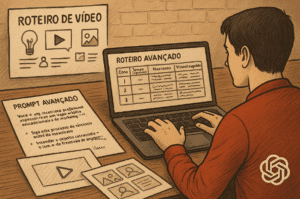

Discover how to create videos in ChatGPT using plugins. Learn how to automate drafting and editing steps without losing focus on your B2B strategy.
You've probably seen ads promising that all you have to do is type a text command and artificial intelligence will generate ready-made audiovisual content. The technical reality is not that simple.
Generating motion graphics with loose tools results in generic pieces. The prototyping process becomes useful when you know... How to create a video in ChatGPT Integrating custom plugins and GPTs.
The goal of this technological integration is to gain operational agility, rather than replacing the audiovisual production company in key marketing campaigns.
You can use these automations to validate ideas or create quick announcements, saving hours of initial planning.
Video integrations in ChatGPT connect text generation and quick assembly platforms like CapCut and HeyGen.
Artificial intelligence analyzes the script and sends scene information via API to the partner tool.
The partner platform returns a pre-assembled draft. This file combines a synthesized voiceover with generic stock footage clips.
This eliminates the blank canvas from the production process. From this point on, the human work of visual direction begins.
To run this workflow, you need the Plus or Enterprise version of OpenAI. The old plugin system has migrated to the custom GPTs tab.
Access the tool's official store and search for partner editors. Add the CapCut video creator to the sidebar for recurring access.
Never ask for something broad like "make a video about complex sales." The artificial intelligence will return a compilation of abstract images without context.
Divide your instruction into technical blocks. Define the objective, the aspect ratio, and require descriptions of specific scenes.
The platform requires precise visual keywords to pull the correct supporting material from the image banks.
The ChatGPT response will be an external link. Clicking it will take you directly to the project timeline in the partner editor's browser.
At this stage, a videographer or editor replaces the stock footage with real images of your operation.
One institutional video A company focused on complex sales needs authentic corporate faces. An excess of standardized clips alienates B2B decision-makers.
This automation addresses the needs of internal communication or updates to operational processes.
You can transform a long supporting PDF into a visual treat for collaborators. This is the format to apply. video microlearning controlling the budget.
Avoid automated formats in high-risk projects. Acquisition campaigns and customer testimonials lose credibility with robotic avatars.
We use automation in pre-production daily. Artificial intelligence organizes agendas and structures ideas during the initial project approval process.
The visual capture and execution phase requires a critical human eye focused on the brand.
See the work we do in producing video lessons for +A Educação and Fundação Dom Cabral. Technology helped to break down the original lesson plan.
The visual impact comes from the customized setting and the studio recording of teachers.
The same logic guided the production of Thoughtworks training videos with CoolHow. Scaling up dozens of short lessons requires organization, and the delivery needs an art direction that artificial intelligence alone cannot provide.
Utilize automated editing integrations to accelerate script approvals. They function like narrated storyboards to align expectations with the management before filming.
If the project requires retaining the attention of C-level clients or providing immersive employee training, direct professional guidance becomes necessary.
If you have a corporate challenge and want to produce efficiently, send your briefing to our team through the page. contact.
Request a Quote